Published: December 12, 2025 • 15 min read • By UPLYNK
Power Platform Synergy: The Low-Code Trio That Transforms Your Business
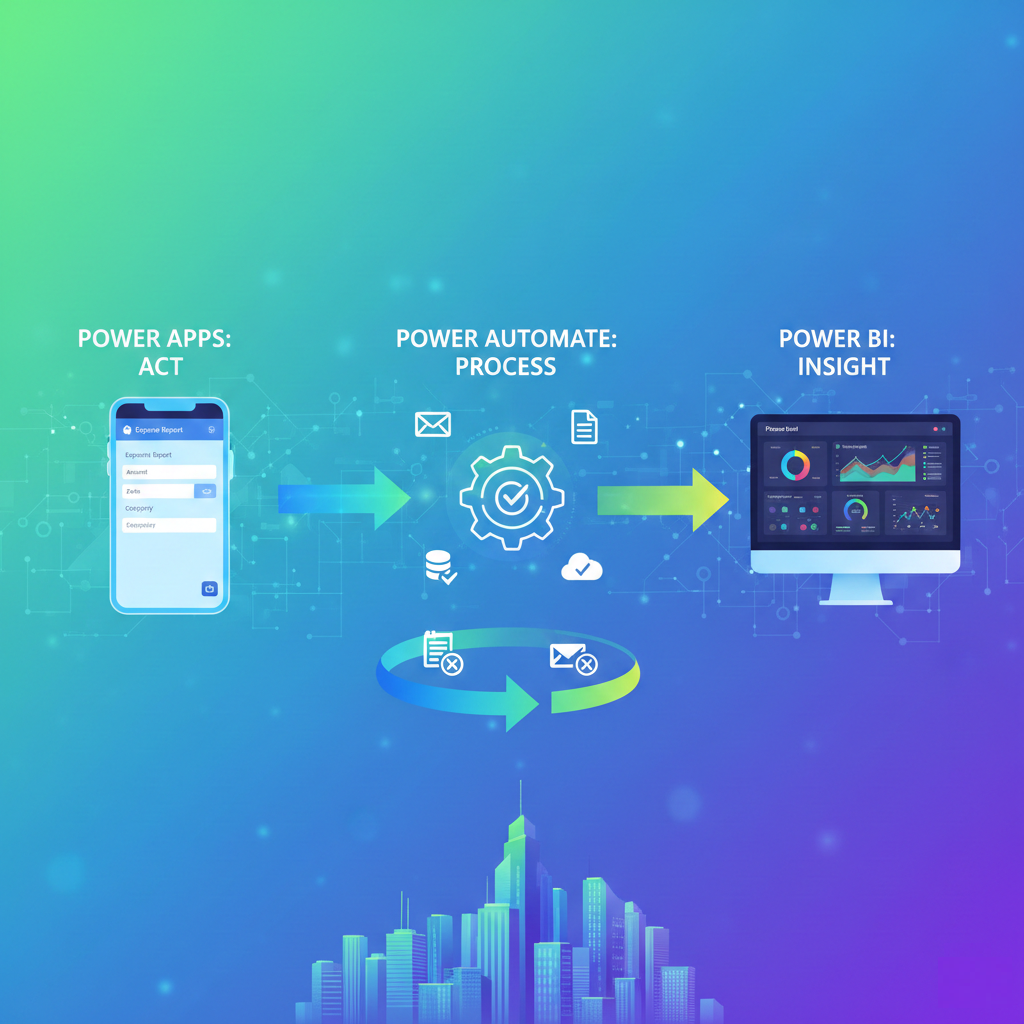
The Microsoft Power Platform is more than a collection of great tools; it’s a unified ecosystem designed to turn data into action and streamline business processes. At its core, the synergy between Power Apps, Power Automate and Power BI creates a powerful loop of input, process and insight that empowers every user, from the citizen developer to the professional IT team.
Forget siloed systems and manual data transfers. This trio is designed to work as one, providing the end-to-end digital solution your business needs.
⭐ 1. Power Apps: The Act Layer (Input and User Experience)
Power Apps is the face of your solution, the low-code engine for creating custom applications that capture and display data. It's where the user interacts with the process.
- What it does: Builds custom web and mobile apps without writing traditional code.
- Key Function: Provides a rich, responsive User Interface (UI) for data entry, viewing and interaction.
- The Synergy Role: Power Apps is the front door for your business process. It captures the initial data (e.g., submitting an expense report, logging a site inspection) and can initiate automated actions.
⭐ 2. Power Automate: The Process Layer (Workflow and Automation)
Power Automate is the brain of your solution, taking the data captured in Power Apps and orchestrating what happens next. It ensures consistency and speed in your business processes.
- What it does: Automates repetitive tasks and workflows across hundreds of applications and services.
- Key Function: Defines triggers, actions and conditions for a process (e.g., approvals, notifications, data synchronization).
- The Synergy Role: Power Automate is the workhorse. Once data is submitted via a Power App, the flow can:
- Trigger an approval email to a manager.
- Create a new record in a SQL database.
- Send a summary notification to a Microsoft Teams channel.
- Run on a schedule to perform cleanup or reporting tasks.
⭐ 3. Power BI: The Insight Layer (Analysis and Visualization)
Power BI is the intelligence layer, it transforms the raw data collected by Power Apps and processed by Power Automate into meaningful, visual insights.
- What it does: Connects to diverse data sources to create interactive reports and dashboards.
- Key Function: Enables data modeling, analysis and visualization to drive better, data-backed decisions.
- The Synergy Role: Power BI is the feedback loop.. It connects directly to the data sources (like Dataverse, SQL, or SharePoint) that Power Apps and Power Automate interact with, allowing you to:
- Track the status and efficiency of your automated workflows.
- Analyze the data collected by your Power App (e.g., average time to complete an inspection, spending patterns).
💡The End-to-End Synergy in Action: The "Act, Automate, Analyze" Loop
Let's illustrate this synergy with a common business scenario: Automated Employee Expense
| Component | Data Input | Core Function |
|---|---|---|
| Power Apps | Workflow & Process | Employee opens the custom mobile app to log an expense, attach a receipt photo and hit "Submit." |
| Power Automate | Designing scalable, secure systems is decisions-driven | Triggers when the app submits the data. Sends an approval request to the manager. Waits for the response. Updates the status in the central database and sends a final notification to the finance team. |
| Power BI | Insights & Monitoring | Finance Manager opens a dashboard to see real-time metrics: Total pending approvals, average approval time per department and spend against budget. |
Advanced Integration: Closing the Loop with Write-Back
A truly synergistic solution can even have Power BI reports embed a Power App visual. This allows a user, after reviewing an insight in Power BI (e.g., seeing an expense is over budget), to click a button on the dashboard to launch the Power App and take immediate action like rejecting the expense or sending a clarification request - which, in turn, is handled by Power Automate.
Conclusion
The Power Platform is designed for this kind of "better together" functionality. By leveraging Power Apps for user interaction, Power Automate for consistent processing and Power BI for critical insights, organizations can quickly move away from inefficient spreadsheets and email chains to create sophisticated, scalable and intelligent business solutions.
“At UPLYNK, we’re committed to empowering the Microsoft Dynamics 365 community through insightful blogs, practical tutorials and real-world implementation guidance — helping professionals learn, grow and stay ahead in the ever-evolving D365 ecosystem.”