Published: February 12, 2026 • 10 min read • By UPLYNK
Empower Your Canvas Apps: Offline Profiles in Power Apps Maker Studio (2025 Wave 2)
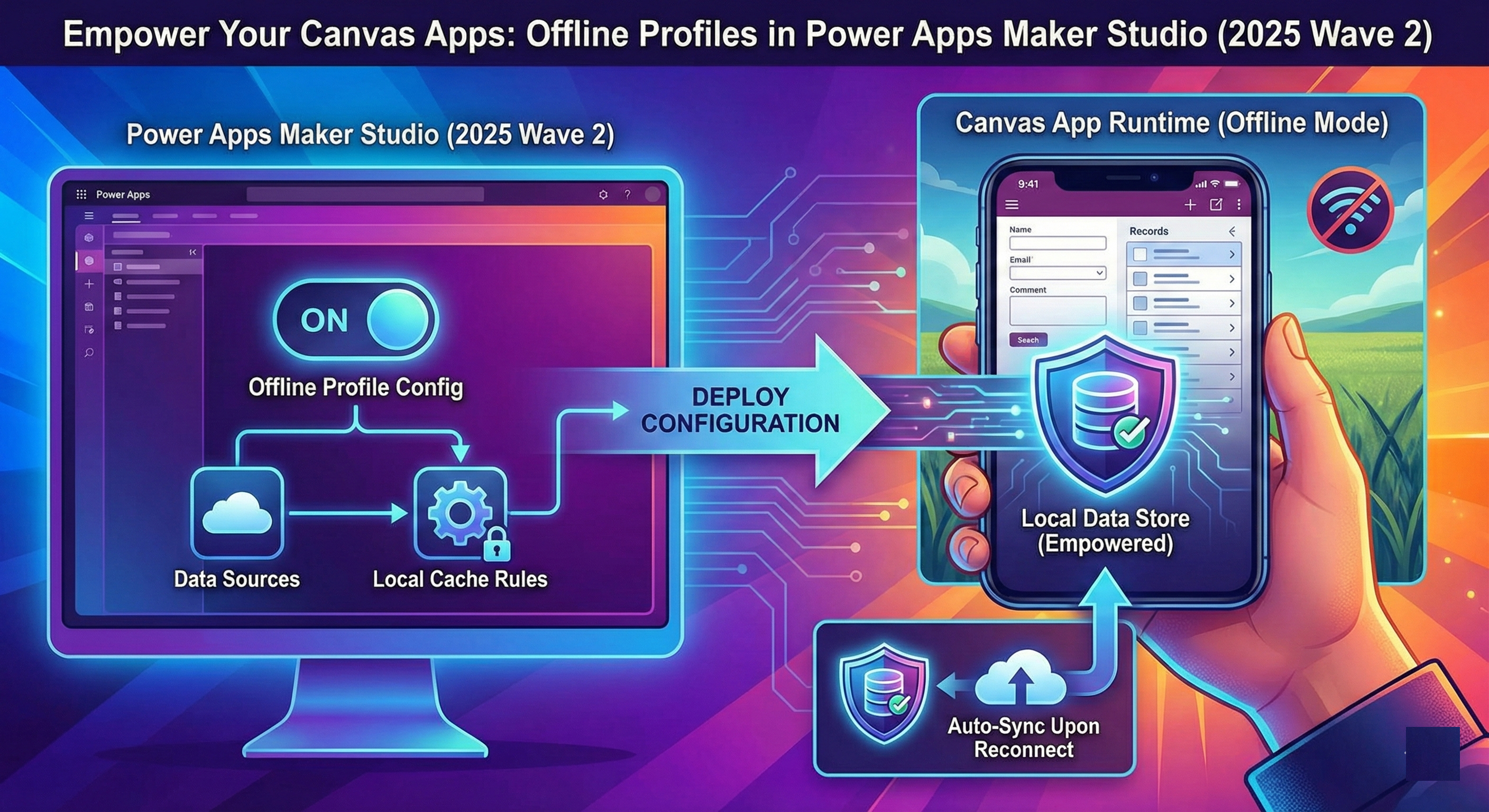
Offline app experiences are becoming essential for modern mobile applications. Whether your field agents are in low-connectivity zones or your business requires seamless data access on the go, offline support must be reliable, efficient and easy to configure.
With Microsoft Power Apps 2025 Release Wave 2, makers get a powerful new capability: the ability to create and manage offline profiles directly within Maker Studio for Canvas apps. This feature simplifies offline configuration and puts control into the hands of makers, no admin center switch-arounds required.
What’s the New Feature?
Traditionally, setting up offline support for Power Apps required makers or admins to go into the Power Platform admin center, create offline data sync profiles, and then link those profiles to apps. With this new release, offline profiles can be created and edited directly inside Maker Studio while building your canvas app, cutting out friction and accelerating development.
Key Highlights
- Maker-centric workflow: Define offline profiles while editing your Canvas app without needing admin permissions.
- No extra portals: Avoid switching to the Power Platform admin center.
- Better control: Tailor which tables, sync intervals, and fields are included in offline data.
- Integrated publishing: Profiles get applied automatically when your app runs offline once published.
Why This Matters
Offline scenarios are critical in many real-world use cases - think field service, utilities, retail, logistics and inspections where connectivity is intermittent or non-existent.
Previously, makers had to coordinate with Power Platform administrators to configure and assign offline profiles. That extra step could slow down releases or require additional governance cycles.
With the new in-studio offline profile editor, makers can:
- Prototype quickly - start building an offline-ready app without leaving the editor."
- Customize precisely - choose exactly what data is needed offline, optimizing performance and storage.
- Iterate easily - adjust profiles as app requirements evolve during development.
These capabilities bring operational savings by letting makers self-serve and reduce dependency on admin teams, while helping apps reach end users faster.
How It Works
Here’s a high-level view of the offline profile workflow inside Maker Studio:
- Open your canvas app in Maker Studio and navigate to Settings.
- Enable offline support by toggling "Can be used offline."
- From the offline profile selector, choose to create a new profile or edit an existing one.
- Use the built-in editor to define:
- Data tables to include offline
- Sync intervals
- Selected columns to download to the device
- Save and publish - the offline profile is then associated with your app and used automatically when users run it offline.
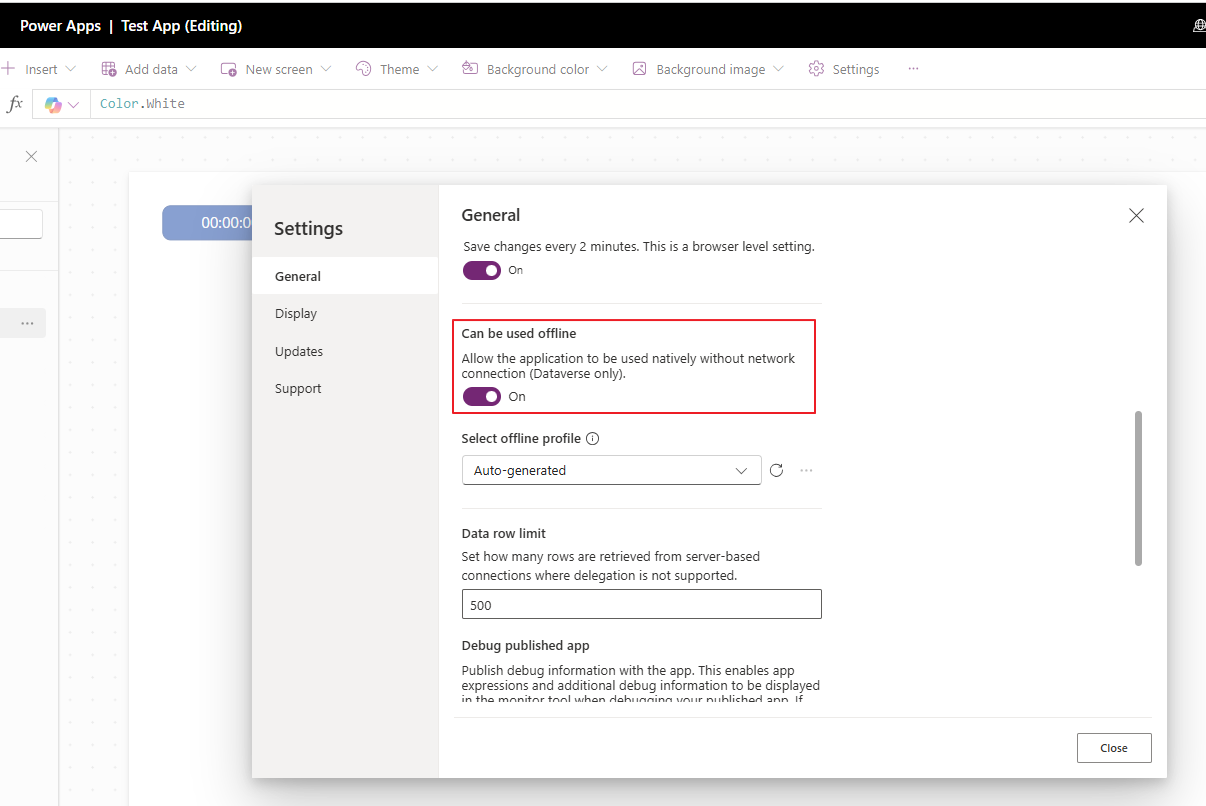
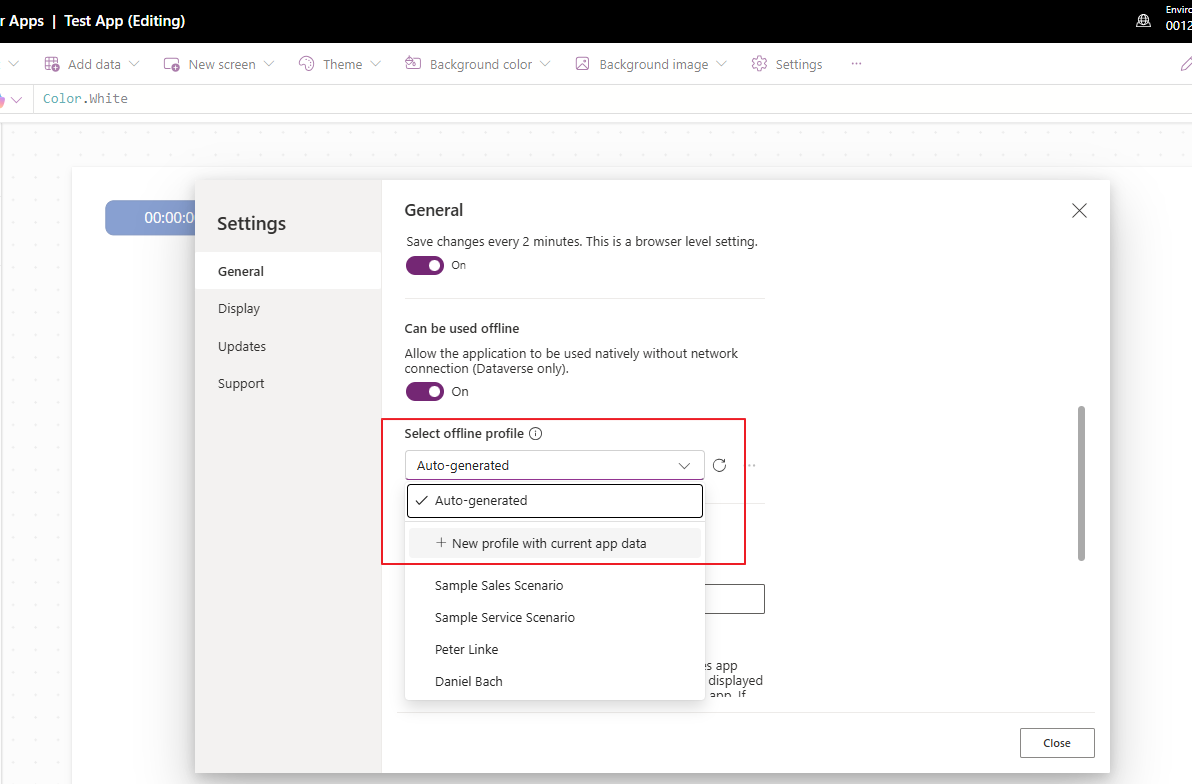
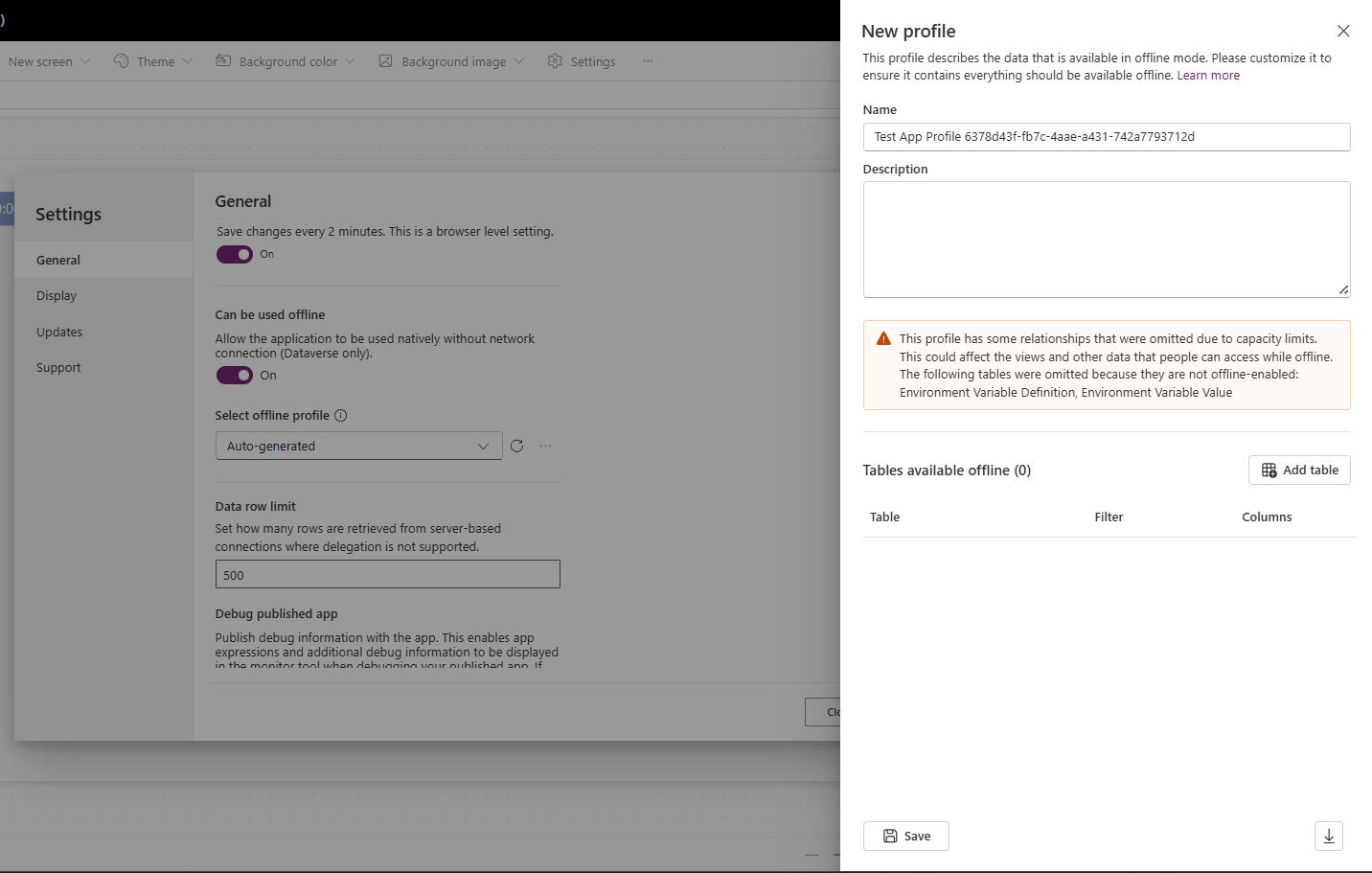
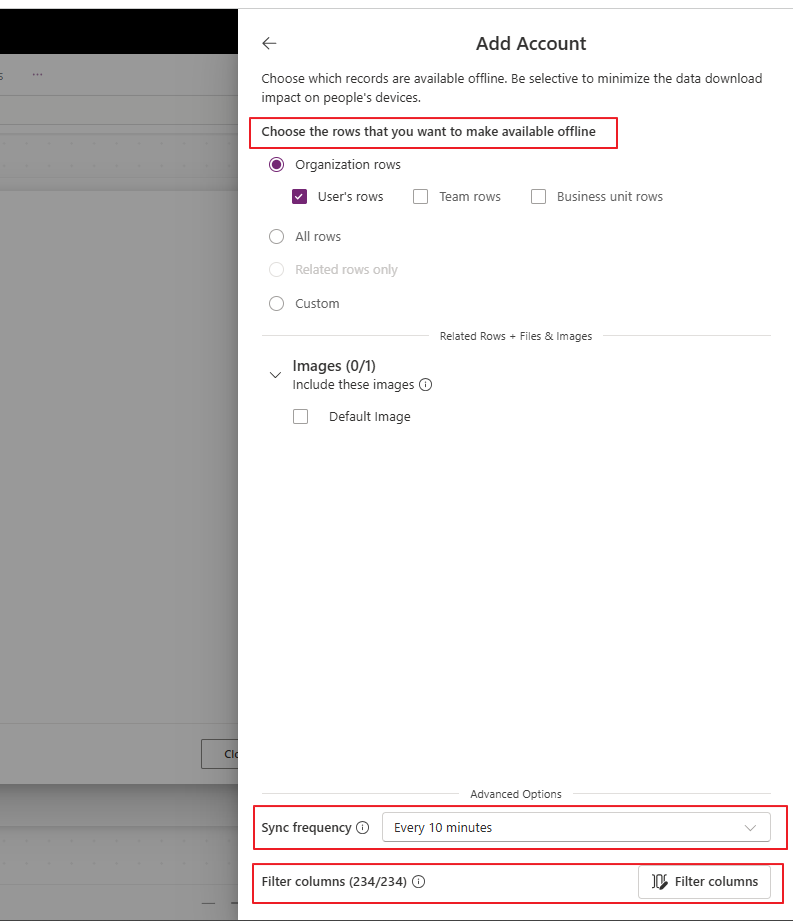
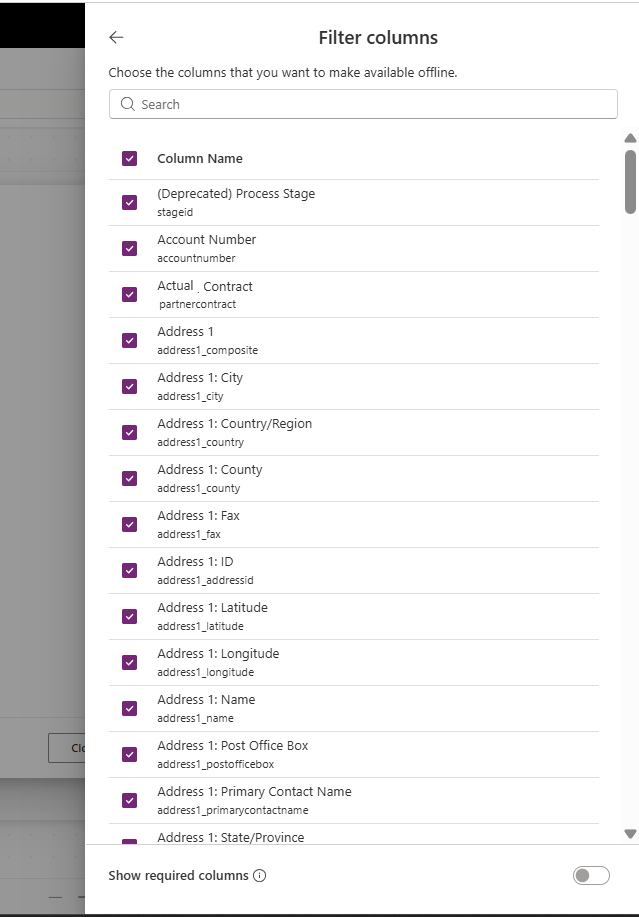
This embedded experience consolidates your offline logic in one place - without bouncing between different admin consoles.
Good to Know
- Who can use it? : Makers building Canvas apps - no admin permissions needed.
- Timeline: This feature began rolling out in late 2025 as part of Power Apps 2025 Wave 2.
- Complementary features: Other planned improvements in the offline space include FetchXML editor support for offline profiles and enhanced online/offline toggles in the future.
Conclusion
The addition of offline profile creation directly in Maker Studio empowers makers to build more robust, offline-ready Canvas apps with less friction. It’s a big step forward in bridging the gap between design and deployment, especially for mobile first and field-facing scenarios.
By bringing offline configuration into the app building workflow, Power Apps continues to evolve into a more intuitive and efficient platform for citizen developers and pro makers alike.
“At UPLYNK, we’re committed to empowering the Microsoft Dynamics 365 community through insightful blogs, practical tutorials and real-world implementation guidance — helping professionals learn, grow and stay ahead in the ever-evolving D365 ecosystem.”